E.D.I,T.H
E.D.I,T.H


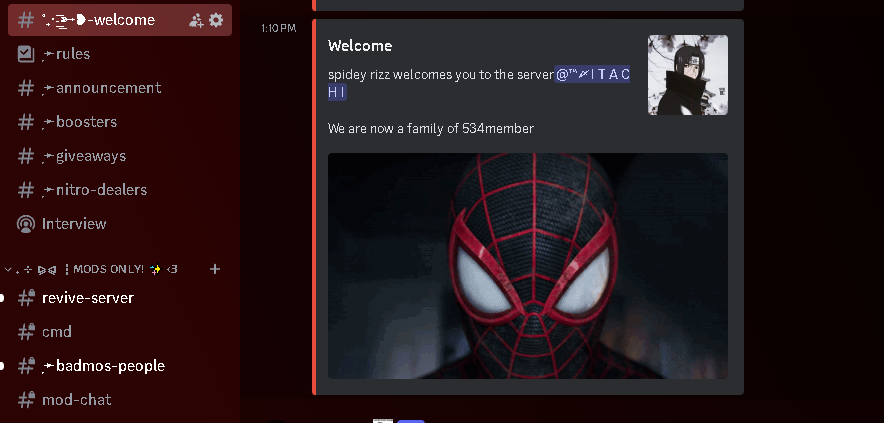
Result
1.Choose a Welcome Channel:
Decide which channel in your Discord server will be the designated welcome channel. New members will receive their welcome messages there.
2.Set the Welcome Image URL:
Obtain an image URL that you want to display as part of the welcome message. This could be a server logo, a custom image, or any other visual element.
Make sure the image URL is publicly accessible (i.e., not behind authentication or restricted access).
3.Configure the Welcome Title and Message:
Decide on the welcome message format. You can include a title (e.g., “Welcome to Our Server!”) and a personalized message (e.g., “We’re glad you joined us!”).
Keep the message friendly and inviting.
Make sure bot has basic setup done
Absolutely! Your bot is all set up and ready to roll! 🎉 Now it’s time to welcome new members to your server.